Skip to content
Easy PPL Ground School - Your fast-track to Flight

On Easy PPL's own EPPL-1

The Whiz-WheelFlight ComputerCourse

The flight computer is the one tool every student pilot has to master, for the navigation exam and for planning real flights. This course teaches it from the very first turn of the disc, on our own computer, the EPPL-1.

animated slides
211
animated slides
chapters
13
chapters
and a course exam
12 tests
and a course exam
H05−40−20005EPPL-1FLIGHT COMPUTER101112131415161718192021222324253035404550556065707580859095YARDSFEETNAUT MSTAT MlbkgIMP GALUS GALkm · m · LtrTAS.70.75.80.85.90.95SG kg.70.75.80.85.90.95SG lb-50-40-30-20-1001020304050-40-20020406080100120°C°F°C°F101112131415161718192021222324253035404550556570758085909560MINUTES1:001:101:201:301:401:502:002:303:003:304:004:305:006:007:008:009:00HOURSCAS−60−40−200+20+40AIR SPEED0102030ALTITUDEAIR TEMP °CPRESS ALT ×1000 FTDENSITY ALTITUDE ×1000 FT
Ten against ten

Free preview

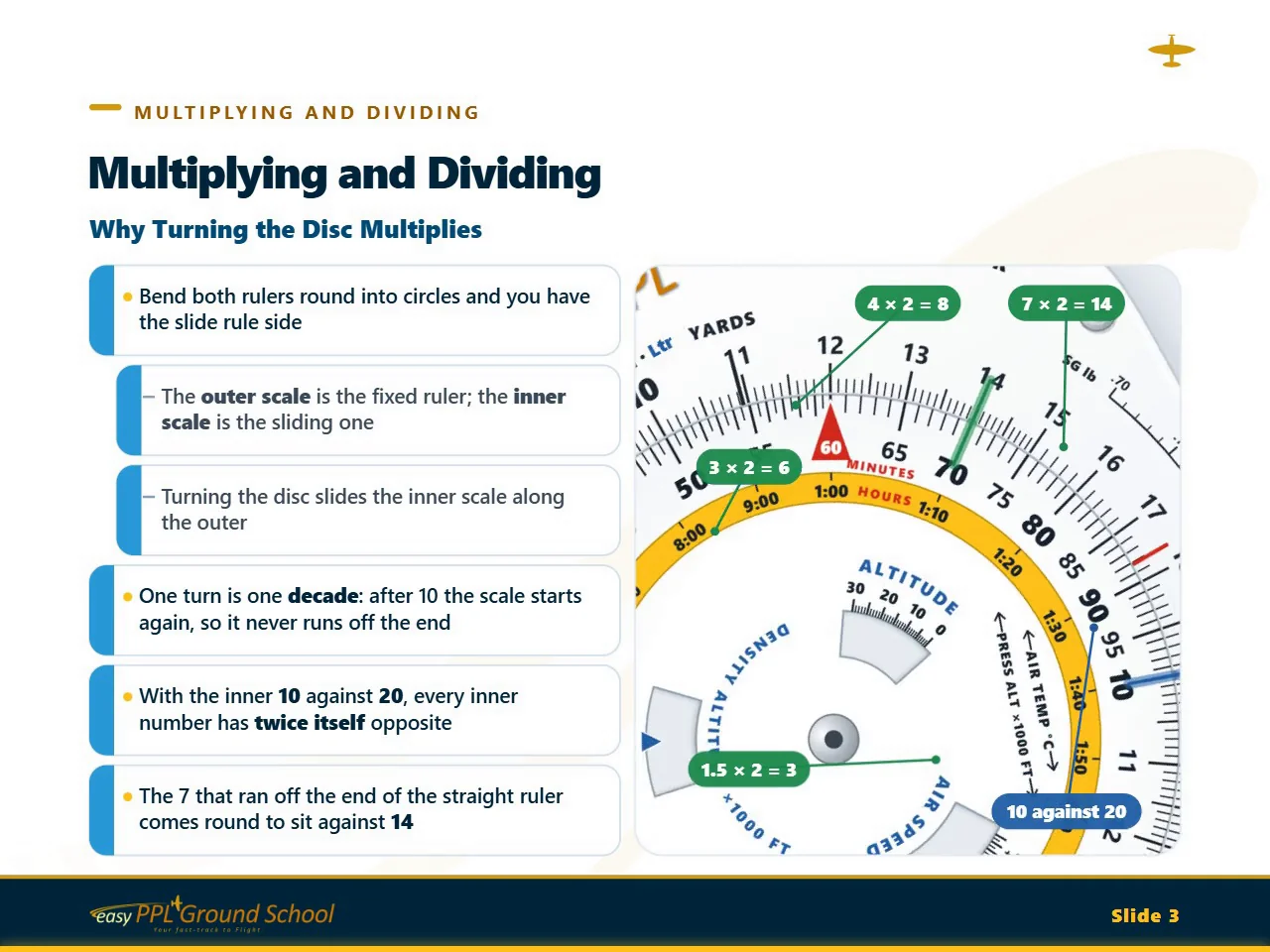
Why is a flight computer round?

Watch two straight rulers bend round into circles and become the slide rule side, and see why turning the disc multiplies. This is slide 3 of chapter 3, Multiplying and Dividing, recorded as it plays in the course. Turn your sound on to hear the narration.

The Whiz-Wheel Flight Computer Course· Chapter 3 · Slide 31:45
  • Every slide is animatedThe computer turns and each step builds up as the narrator explains it.
  • Close-ups of every settingThe view moves in on the part that matters, so you see exactly where the hairline lands.
  • Classic slides tooSwitch to Classic to see each slide as a still picture with a short summary.

The course

What you'll learn

Both sides are covered. On the slide rule side you'll multiply and divide, work out times, distances and fuel, convert units, and find true airspeed, density altitude and true altitude. On the wind side you'll set a wind, find the heading and groundspeed for any track, work out the wind in flight, and find the headwind and crosswind for a runway.

Each chapter starts with how the computer works and why, then shows each method step by step, close up, as the computer turns. Practical problems follow with the full working, and the course ends by planning a complete cross-country flight. The EPPL-1 is laid out like the standard student flight computer, so you can follow along with your own.

A progress test closes each chapter, and the course ends with a course exam.

To prove you have completed the course, after you have passed our on-line exam you will be issued with a Course Completion Certificate.

You may also be interested in our other Best Practice courses.

Course contents

Five parts, 13 chapters

The course starts with the slide rule side and builds up, one setting at a time, to the wind side and a complete flight plan. Every chapter from the second on ends with a progress test.

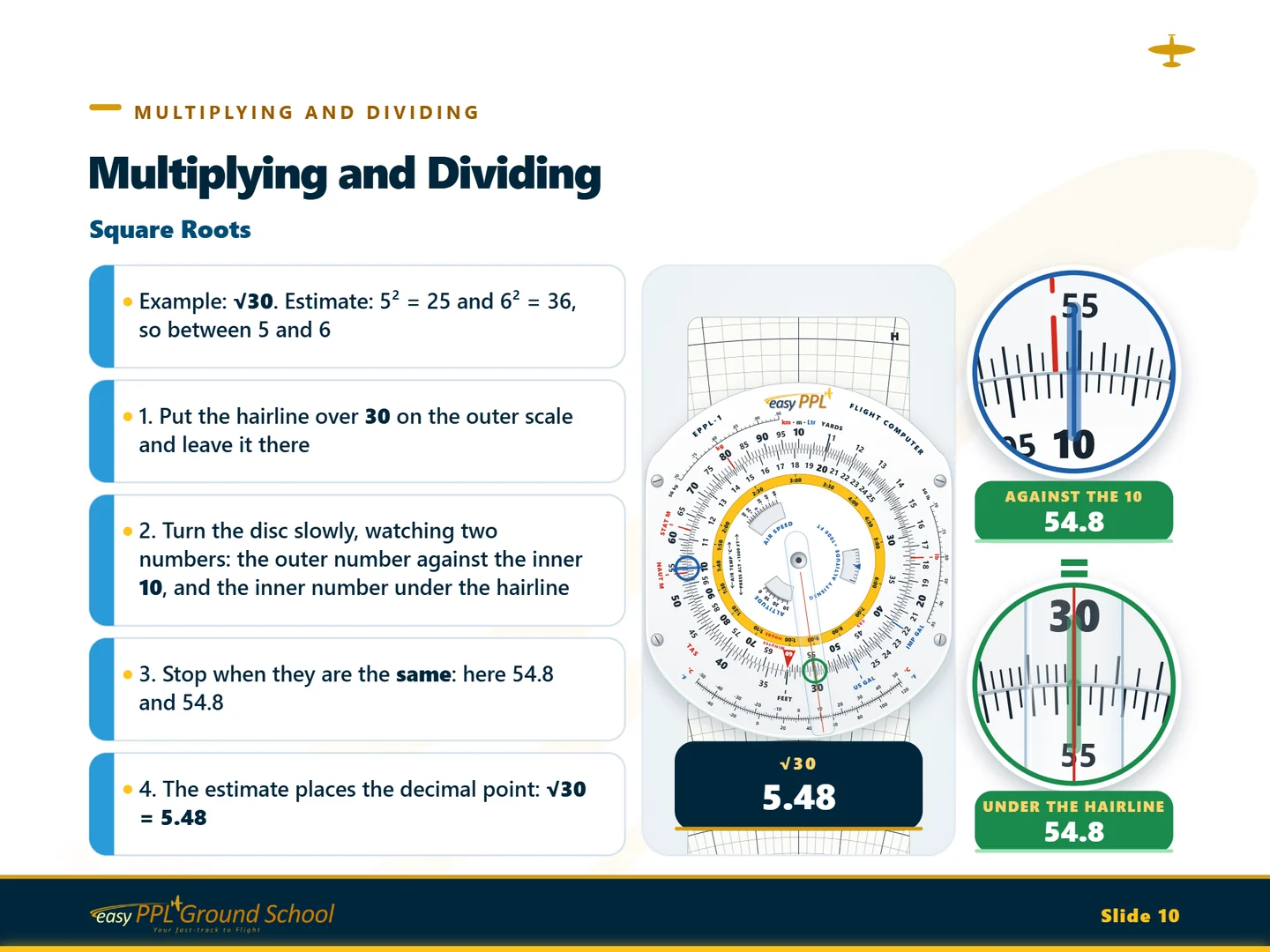
  1. The course's slide on square roots, with two close-ups closing in on the same number
    From the course · Square roots

    01Part 1

    Learning the slide rule side

    What every scale and window is for, how to read them, and the arithmetic the whole course is built on.

    • 1IntroductionThe EPPL-1's two faces, what each scale and window is for, looking after it, and the practice flight used through the course.15 slides
    • 2Reading the ScalesThe two identical scales, why the numbers bunch up, what the small marks are worth, the hairline, and estimating first.17 slides Progress Test 1
    • 3Multiplying and DividingWhy turning the disc multiplies, then multiplying, dividing, ratios, percentages, squares and square roots.19 slides Progress Test 2
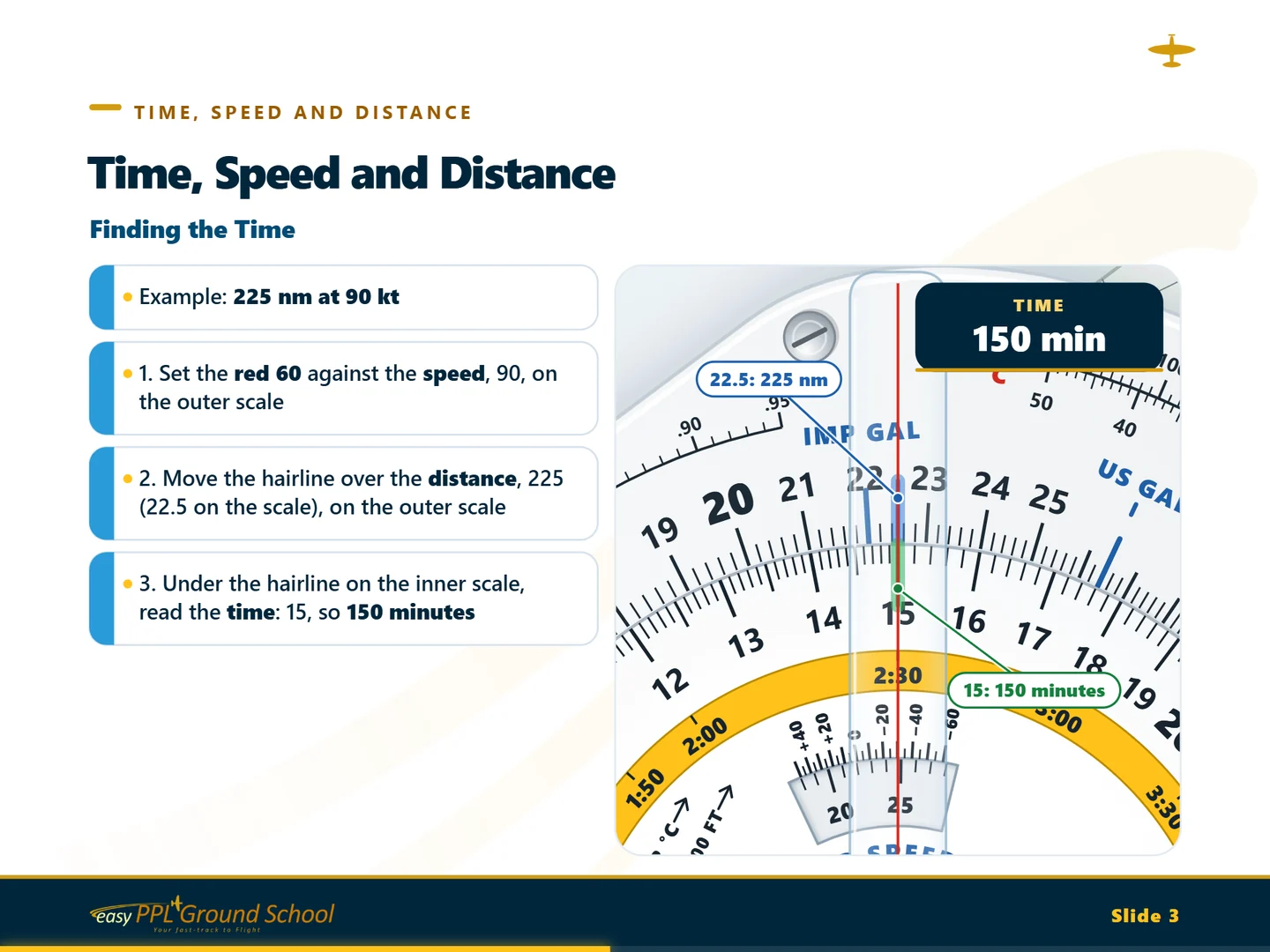
  2. The course's slide on finding the time, with the red 60 set against the speed
    From the course · Finding the time

    02Part 2

    Sums for every flight

    Times, distances and speeds, climbs and descents, fuel, and converting from one unit to another.

    • 4Time, Speed and DistanceThe red 60, finding the time, distance and speed, the hours ring, groundspeed between two fixes and a revised ETA.16 slides Progress Test 3
    • 5Climbing and DescendingTime to climb, distance covered in the climb, climb gradients, rates of descent, and where to start the descent.14 slides Progress Test 4
    • 6FuelFuel required, consumption, endurance and reserves, gallons and litres, and fuel by weight from its SG.15 slides Progress Test 5
    • 7ConversionsThe unit indices, then distances, speeds, lengths, weights and temperatures, each in one setting.15 slides Progress Test 6
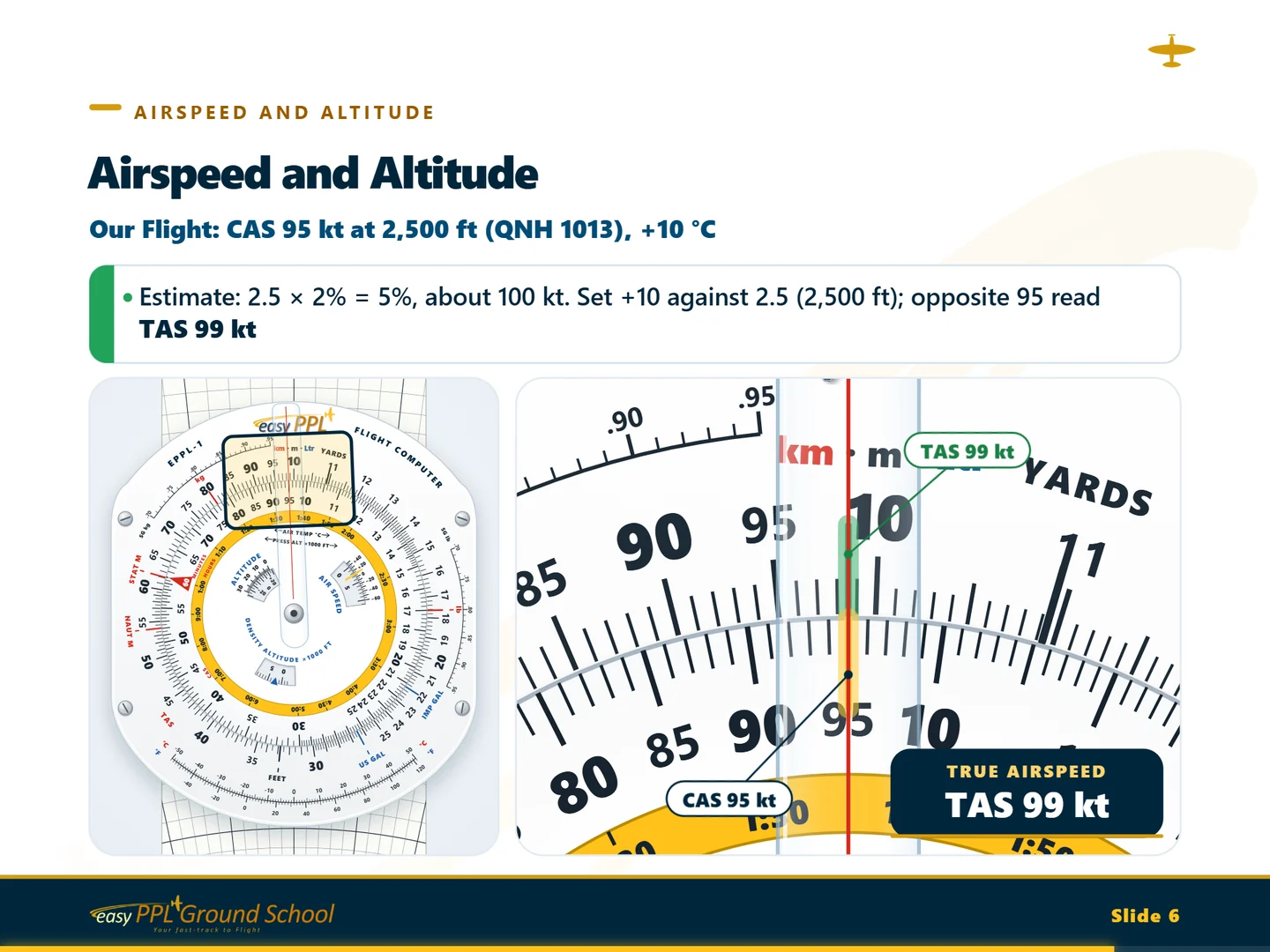
  3. The course's slide on finding true airspeed in the AIR SPEED window
    From the course · True airspeed

    03Part 3

    Airspeed, altitude and tracking

    True airspeed and the altitudes the computer finds, then the 1 in 60 rule for getting back on track.

    • 8Airspeed and AltitudeIAS, CAS and TAS, pressure altitude, finding true airspeed, density altitude, true altitude and the speed of sound.17 slides Progress Test 7
    • 9The 1 in 60 RuleTrack error and closing angle, on the computer and in your head, regaining track, and off track from a VOR/DME.13 slides Progress Test 8
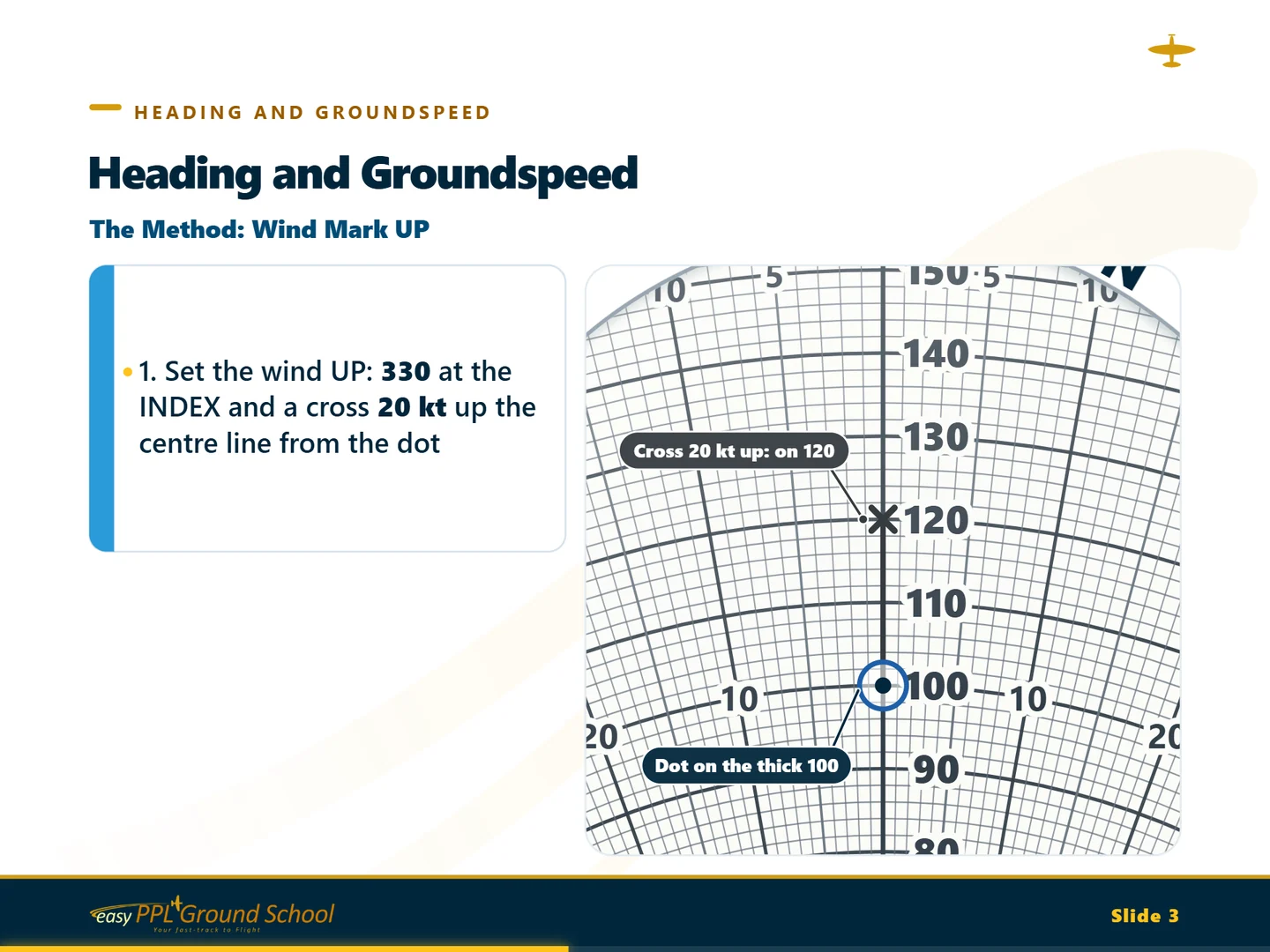
  4. The course's slide on the wind mark UP method, close up on the pencilled wind mark
    From the course · Wind mark UP

    04Part 4

    The wind side

    The triangle of velocities on the computer: headings, groundspeeds, tracks, and the wind itself.

    • 10The Wind SideThe ring, slide and clear disc, the triangle of velocities, setting a wind, adding and subtracting angles.16 slides Progress Test 9
    • 11Heading and GroundspeedHeading and groundspeed for a track with the wind mark UP, the left/right rule, magnetic heading and the other method.17 slides Progress Test 10
    • 12Track, Groundspeed and Finding the WindTrack and groundspeed from a heading, finding the wind in flight, and the headwind and crosswind for a runway.15 slides Progress Test 11
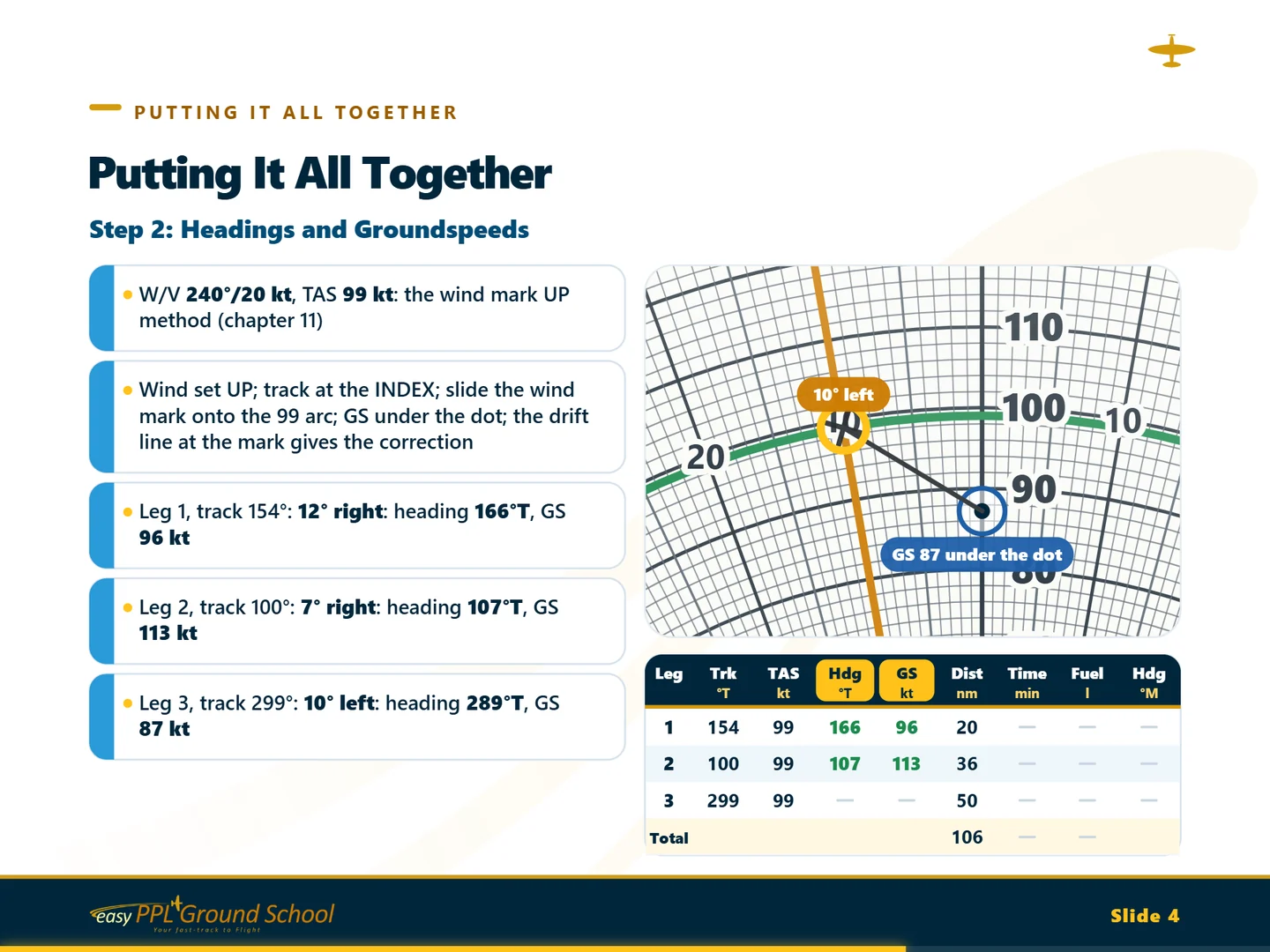
  5. The course's slide planning the practice flight's headings and groundspeeds, with the flight log beneath
    From the course · Headings and groundspeeds

    05Part 5

    A whole flight

    Everything together: a cross-country flight planned leg by leg, then the problems that come up in the air.

    • 13Putting It All TogetherThe practice flight planned step by step into a completed log, then a late fix, a track error, a new wind and a diversion.16 slides Progress Test 12
14. Course ExamAn exam on the whole course. Pass it to receive your Course Completion Certificate. Course Completion Certificate

Drawn for this course

Both sides of the computer, exactly

Our own flight computer, the EPPL-1, is drawn with every scale, window and graduation in place, and it's laid out like the standard student flight computer, so what you learn works on yours. Every setting on every slide comes from the computer's own arithmetic, so the hairline lands exactly where yours will.

H202525EPPL-1FLIGHT COMPUTER101112131415161718192021222324253035404550556065707580859095YARDSFEETNAUT MSTAT MlbkgIMP GALUS GALkm · m · LtrTAS.70.75.80.85.90.95SG kg.70.75.80.85.90.95SG lb-50-40-30-20-1001020304050-40-20020406080100120°C°F°C°F101112131415161718192021222324253035404550556570758085909560MINUTES1:001:101:201:301:401:502:002:303:003:304:004:305:006:007:008:009:00HOURSCAS−60−40−200+20+40AIR SPEED0102030ALTITUDEAIR TEMP °CPRESS ALT ×1000 FTDENSITY ALTITUDE ×1000 FT

The slide rule side

  • Multiplying, dividing and square roots
  • Time, speed, distance and fuel
  • Distances, speeds, weights, volumes and temperatures converted
  • True airspeed, density altitude and true altitude
4050607080901001101201301401501601701801902002102202302402505510101515551010151520201010202030301020304050607080L10102020303040405050DRIFTDRIFTINDEXEPPL-10102030405060708090100110120130140150160170180190200210220230240250260270280290300310320330340350NESWNESESWNW

The wind side

  • A wind set with a pencil mark
  • The heading and groundspeed for any track
  • The track and groundspeed from a heading
  • The wind found in flight, and a runway's headwind and crosswind
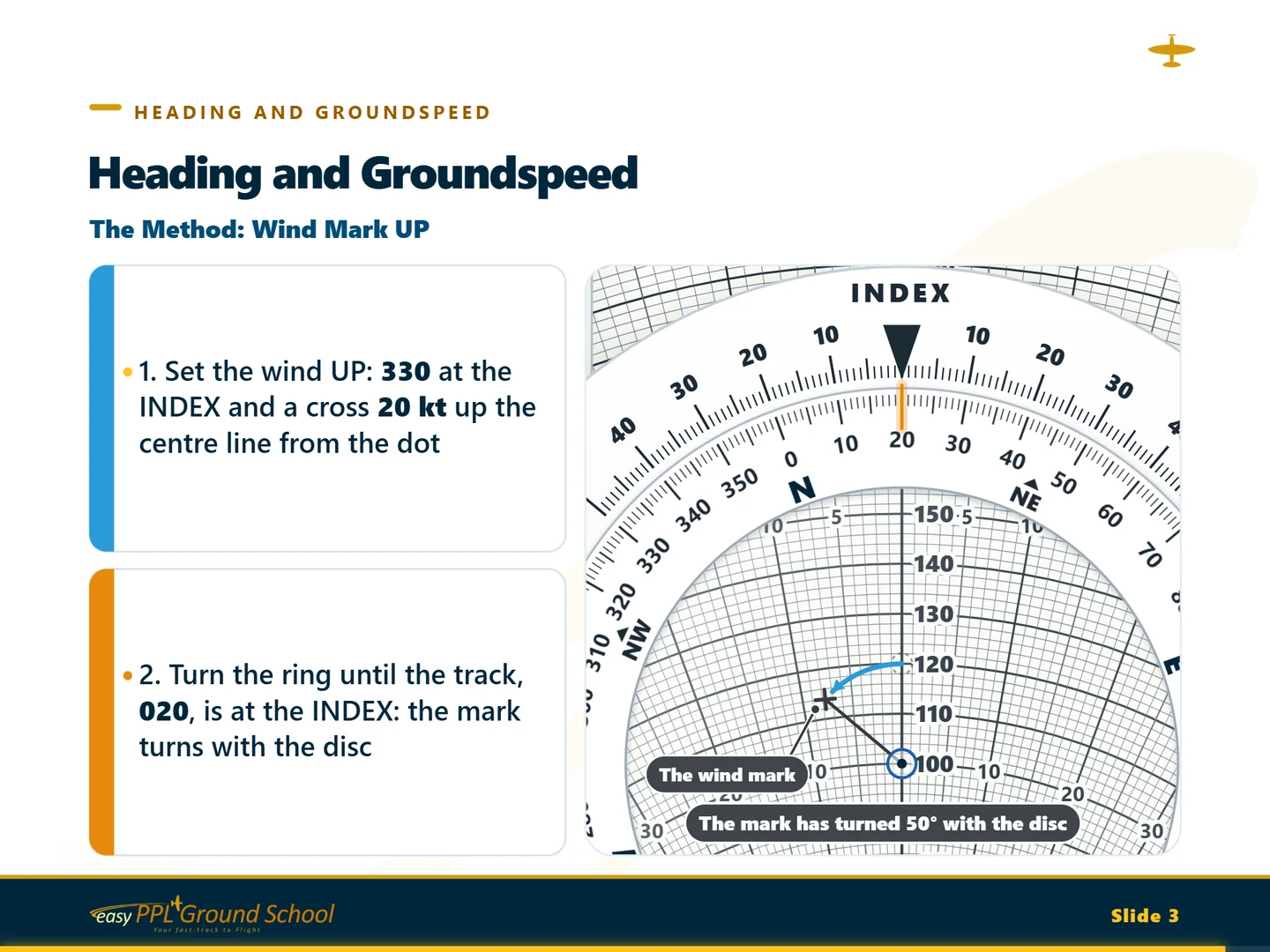
A slide from the course: a close-up of the wind side as the pencilled wind mark turns with the disc

What's included

Everything you need, in one place

  • 211 animated slidesEach one built up step by step while a narrator explains it, in 13 chapters.
  • Practical problemsAfter the theory, problems to try on your own computer, with the full working.
  • Classic slides tooPrefer still pictures? Switch to Classic for each slide with a short spoken summary.
  • 12 progress testsCheck what you've learnt as you go, with explanations to learn from.
  • Course examExam-style questions on the whole course to finish.
  • Certificate of completionYours when you pass the course exam.
  • Kept up to dateUp-to-date material that stays up to date.
  • Study anywhereOn your computer, tablet or phone.

Buy it now

Choose how you study

Everything included

Full Course

£15.49for one month

Renew for £13.94 a month

  • Every lesson in the course
  • 12 progress tests
  • The course exam
  • 1 certificate
Add to basket

Test/Exam Access Only

£13.99for one month

Renew for £13.99 a month

  • 12 progress tests
  • The course exam
  • Ideal for revision
Add to basket

No account needed to add to your basket: you'll register (free) at checkout, and your course opens as soon as you've paid.